

If you’ve been searching for a way to manage your electricity expenses without the headache, the Latest Update 2026: How to Check MEPCO Bill Online & Pay from Mobile guide is exactly what you need. For residents in South Punjab, including Multan, Bahawalpur, and Dera Ghazi Khan, the Multan Electric Power Company has significantly upgraded its digital infrastructure. You no longer have to wait for the physical paper to arrive at your gate; instead, you can perform a MEPCO online bill check or secure a duplicate bill download in less than a minute. This modern approach ensures you stay ahead of the due date and avoid those frustrating late payment surcharges that can sneak up on you.
Table of Contents
Check MEPCO Bill Online – Download Duplicate Bill Instantly
The year 2026 has brought a much-needed digital shift for electricity consumers. The MEPCO portal is now more responsive, allowing users to verify their consumption from any device. Whether you are at work or at home, accessing your billing history and current charges is straightforward. All the system requires is your 14-digit reference number. This number is your unique digital identity with MEPCO, found on the top corner of any previous month’s statement.
To get started, simply visit the official MEPCO website. Once there, you’ll find a dedicated section for “Duplicate Bill.” By entering your reference number—without any spaces—the system will generate a full version of your current bill. It’s important to note that this digital copy is legally valid for bank payments and serves as a verified proof of address for other official documentation.
How to Check and Print Your Bill
- Locate your Reference Number: Grab an old bill and look for the 14-digit string of numbers usually starting with “01” or “15”.
- Access the Portal: Open the official MEPCO “web.pitc.com.pk/mepcobill” on your mobile or PC browser.
- Submit Details: Input the reference number carefully into the search bar.
- Download PDF: The bill will pop up on your screen. Click the “Print” or “Download” icon to save a high-quality copy for your records.
MEPCO Bill Payment Methods and Tariff Information
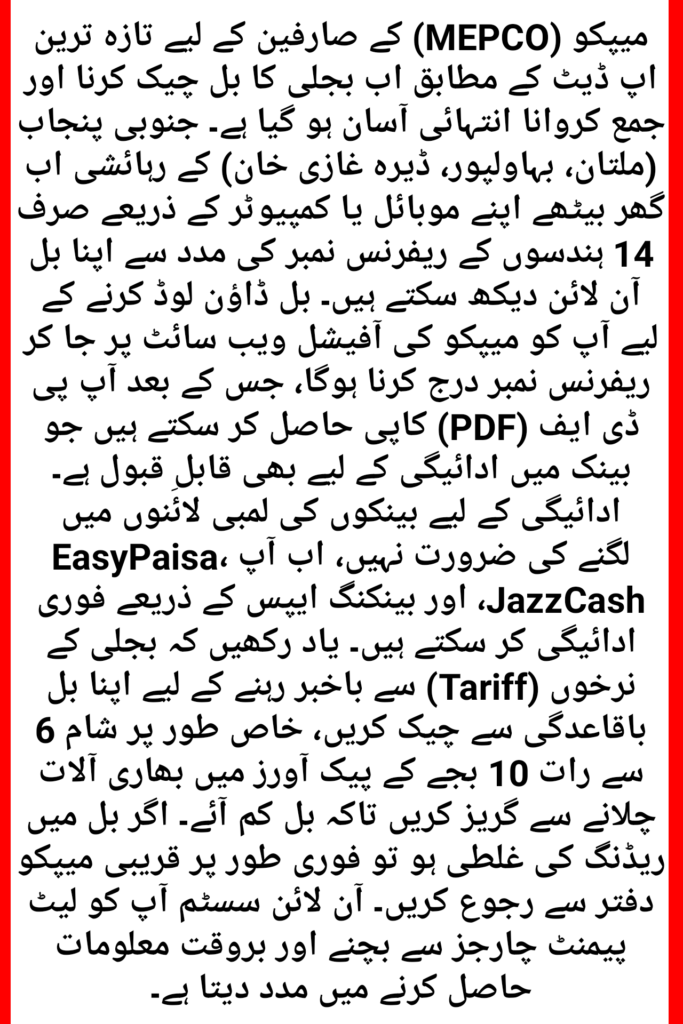
As we move through 2026, the ways we pay for utilities have become incredibly diverse. You are no longer restricted to standing in long queues at the bank under the hot sun. Most MEPCO consumers now prefer using mobile wallets because they provide an instant receipt and often offer small cashback rewards for timely payments.
| Service Type | Platform Used | Confirmation Time |
| Mobile Wallets | EasyPaisa, JazzCash, Nayapay | Real-time / Instant |
| Online Banking | Mobile Apps (HBL, Meezan, UBL) | Within 5 Minutes |
| Offline Centers | One-Link ATMs, Post Offices, Banks | 12 to 24 Hours |
Understanding Your 2026 Electricity Costs
Electricity rates are divided into different categories based on your monthly consumption. If you use less than 200 units consistently, you fall into the “Protected” category, which enjoys a lower per-unit rate. However, for “Non-Protected” consumers, the rates increase significantly once you cross certain thresholds. It is wise to check the “Tariff” section on your duplicate bill to understand which slab you belong to, as this directly affects the taxes and surcharges added to your total.
Tips for Managing High Bills in 2026
With the rising cost of energy, managing your consumption is the best way to keep your MEPCO bill under control. Here are a few practical, human-centered tips:
- Avoid Peak Hours: Electricity is most expensive during peak times. In 2026, peak hours usually fall between 6:00 PM and 10:00 PM. Try to avoid using heavy appliances like ACs or motors during this window.
- Go Digital with Alerts: You can register your mobile number on the MEPCO portal to receive SMS alerts. This ensures you know your bill amount the moment it is generated, giving you more time to arrange funds.
- Check for Reading Errors: If your bill seems impossibly high, look at the “Current Reading” on the bill and compare it with the numbers on your meter outside. If there’s a mismatch, take a photo and visit your nearest MEPCO sub-division office to get it corrected.
Frequently Asked Questions (FAQs)
Can I check my MEPCO bill using my CNIC number?
Currently, the online system is primarily based on the 14-digit reference number. While some internal government databases are linking CNICs, for a quick duplicate bill, you still need that reference number from an old receipt.
What should I do if I paid my bill but it still shows “Unpaid” online?
Don’t worry too much. It usually takes 2 to 3 working days for the bank to sync with the MEPCO database. As long as you have your digital transaction ID or a stamped paper receipt, you are safe from disconnection.
How can I find my MEPCO Reference Number if I lost my bill?
If you’ve lost all previous bills, you can find the number in your mobile banking “bill payment history” if you’ve paid online before. Otherwise, you may need to provide your meter number or house address at a local MEPCO office to retrieve it.
Is there a specific app for MEPCO bills?
Yes, there are several “Electricity Bill” apps on the Google Play Store. While many are third-party tools, they simply pull data from the official MEPCO servers for your convenience. Always ensure you are using a secure connection when entering your details.